Returns
Record and process a customer return.
A return records goods coming back from a customer against a specific delivery — the same delivery it's shipped on stays the source of truth for what was originally sent.
-
Start from the delivery
Open the delivery the goods were shipped on and click Record return — it's available once the delivery has shipped, and only for lines that still have quantity left to return.
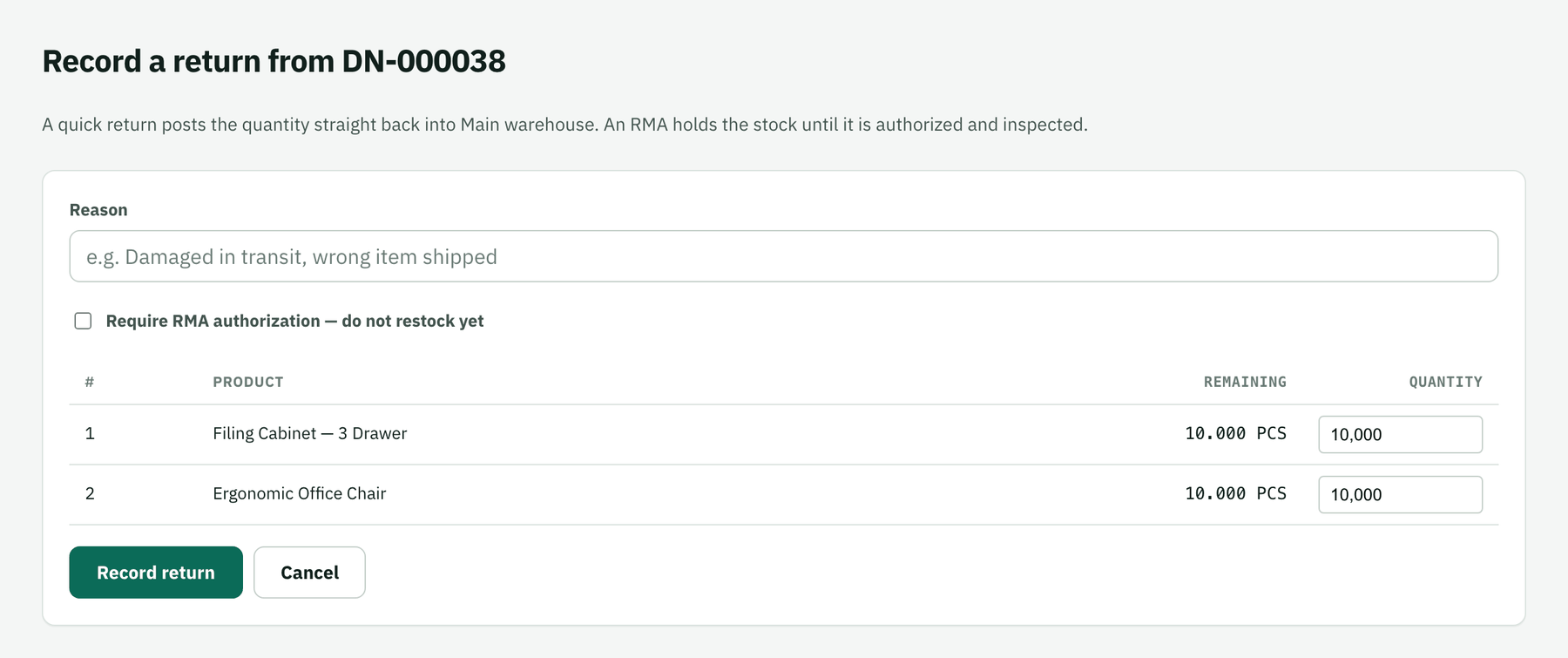
Recording a return against a shipped delivery. -
Enter the quantity and reason
Fill in how many units of each affected line are coming back and why. Leave a line's quantity blank to leave it out of this return entirely.
-
Decide whether it needs authorization
Check Require RMA authorization when the return needs a manager's sign-off before the goods are physically accepted back; leave it unchecked for a straightforward restock.
-
Save
The return lands on its own detail page — authorize it (if required), inspect it, and process the disposition (restock, scrap, …) and refund from there.
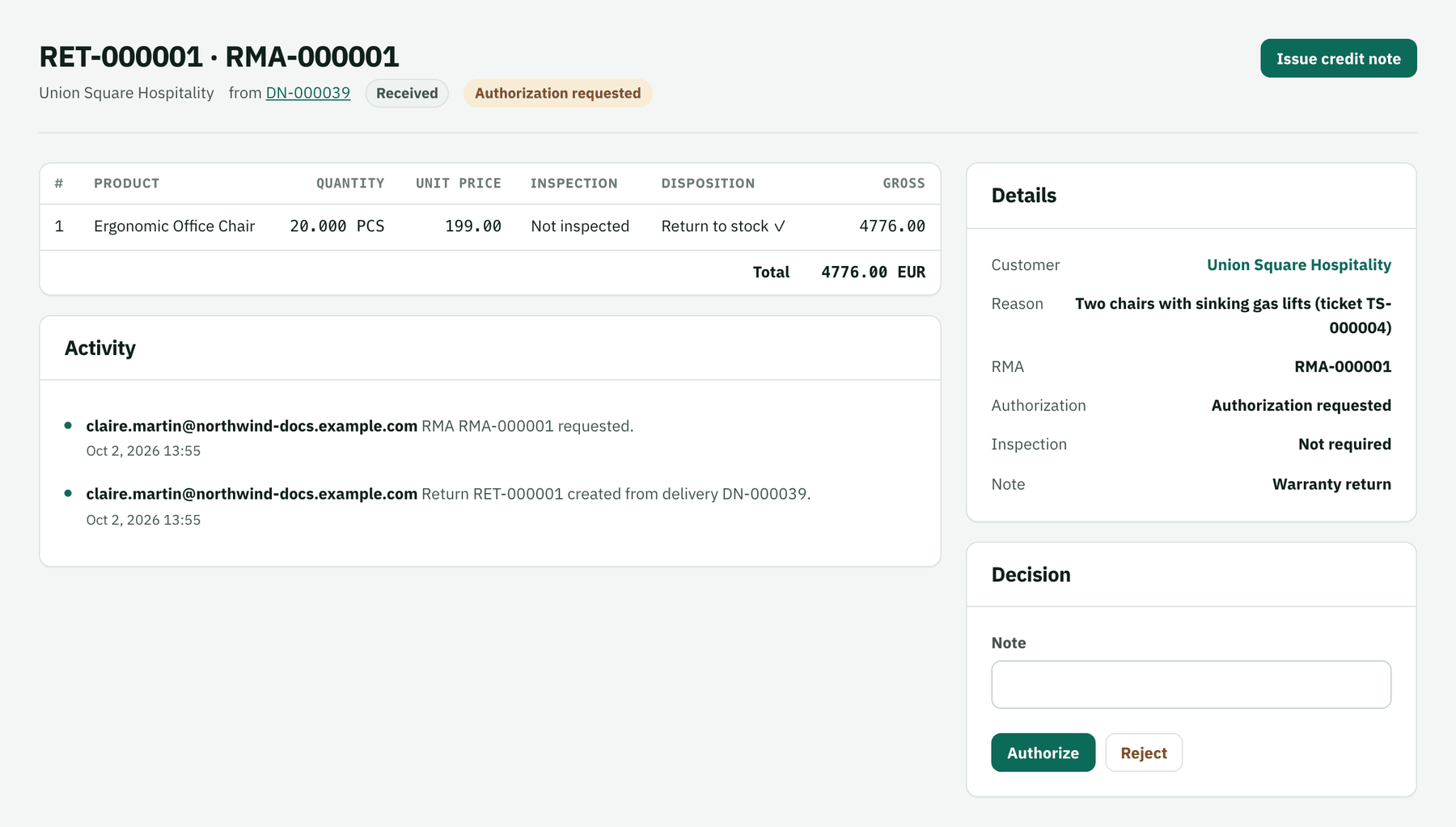
A recorded return, ready for inspection.