Approval inbox
Approve or reject what's waiting on you.
Purchase orders, requisitions, leave, timesheets, scrap and other documents that need a second pair of eyes come to the approval inbox. Approve or reject them in one click — you never see your own submissions here.
- Where
- Approvals › Inbox, or the inbox icon in the header
- Statuses
- Pending → Approved / Rejected (or escalated, cancelled)
See what's waiting
Each row shows the document, who submitted it and their note, when, and the status. The filter switches between open, decided and all requests.
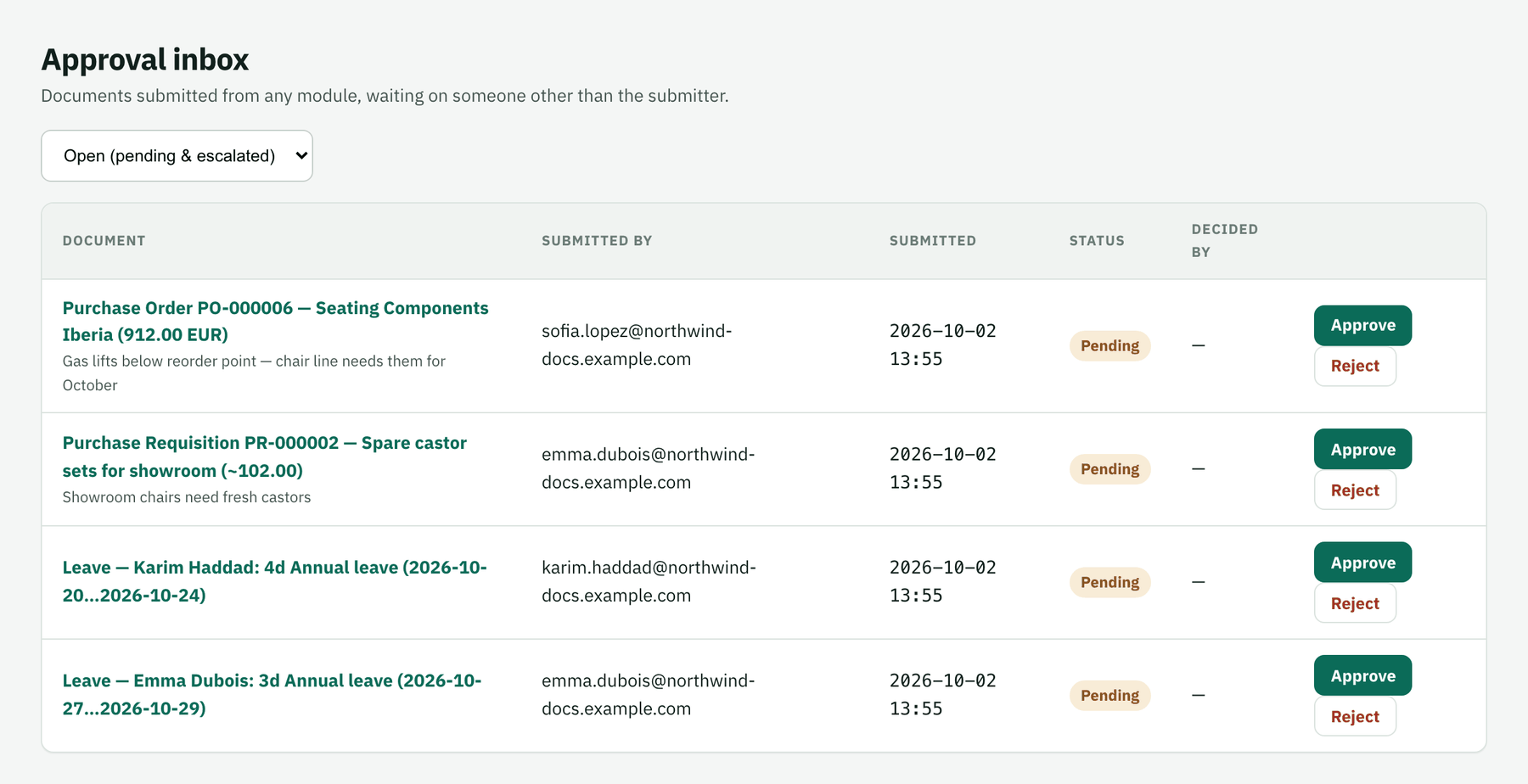
Decide
Approve or Reject straight from the row, or click the document to review it first and decide there.
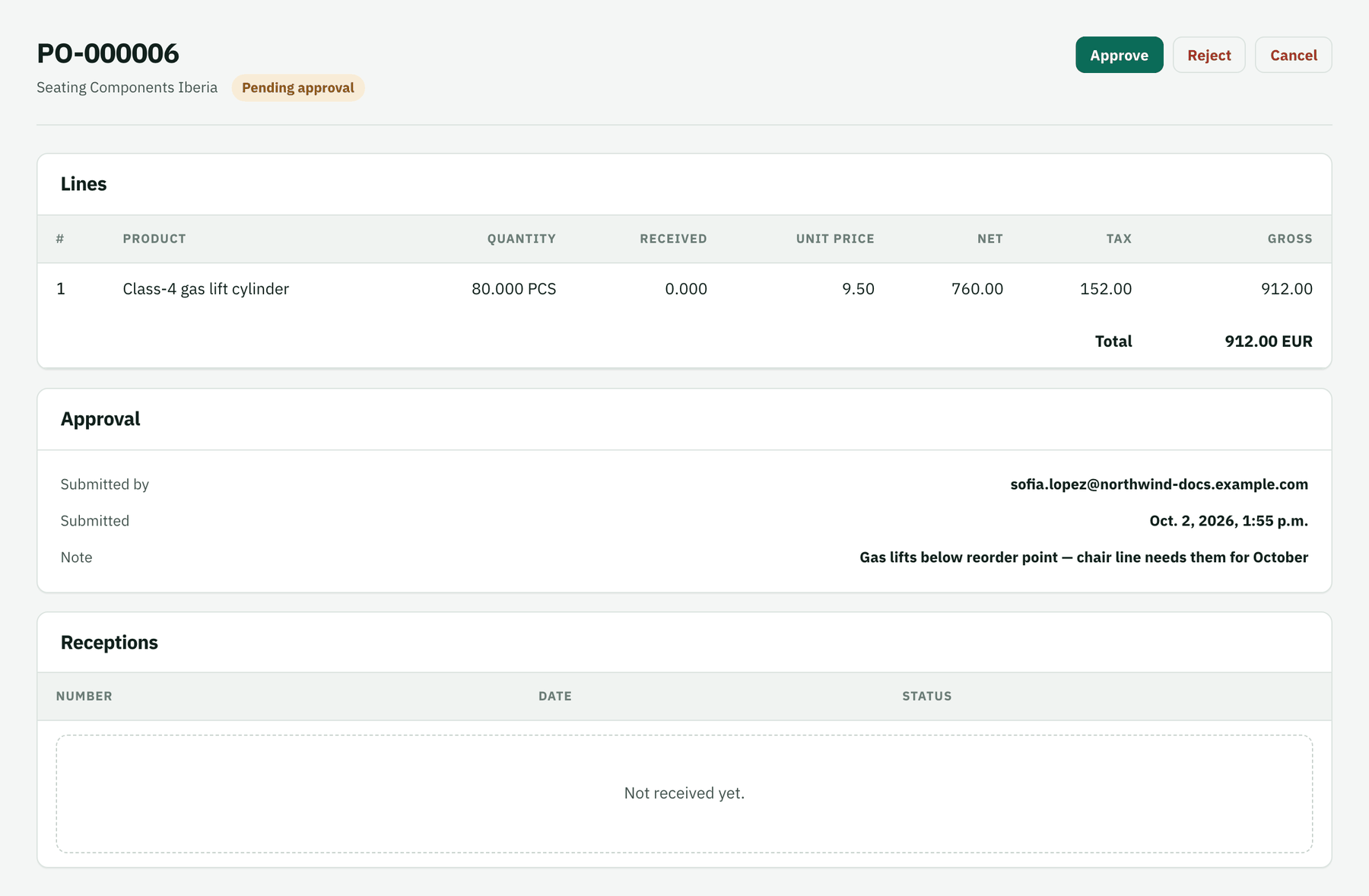
What happens next
The document moves on — an approved PO is sent to the supplier, approved leave enters the calendar — and the submitter is notified.