الرواتب
صدّر البيانات إلى مزوّد الرواتب، واستورد النتائج، ثم أقفل دورة الرواتب.
Payroll itself is calculated by your payroll provider. Here you prepare each pay period, export the employee data to the provider, import their results and finalise the run — giving you a payroll register and figures for accounting.
- Where
- HR › Pay periods
- Run statuses
- Draft → Imported → Finalised
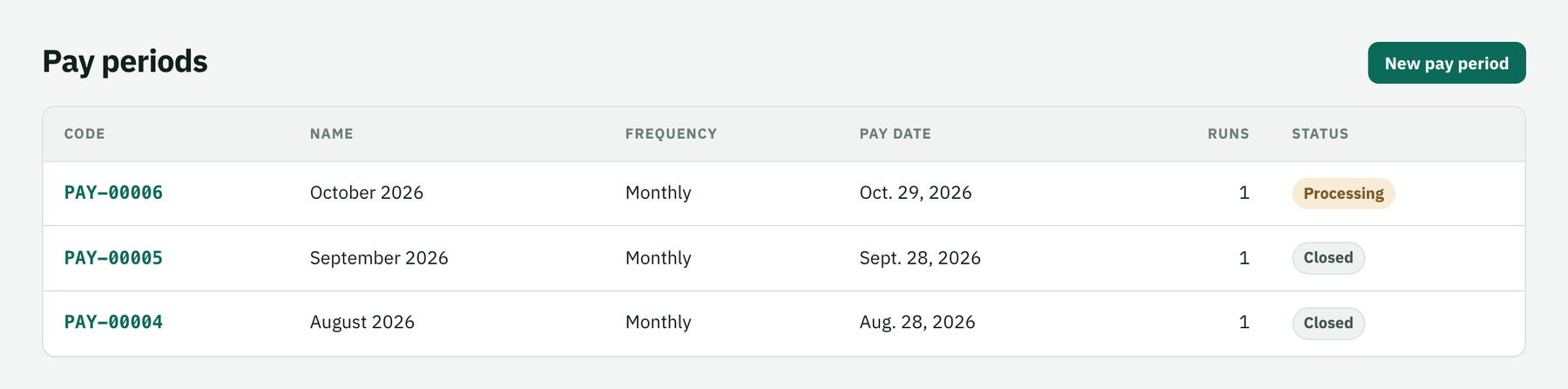
Create the pay period
New pay period: name, start and end date, pay date and frequency.
Export, then start a run
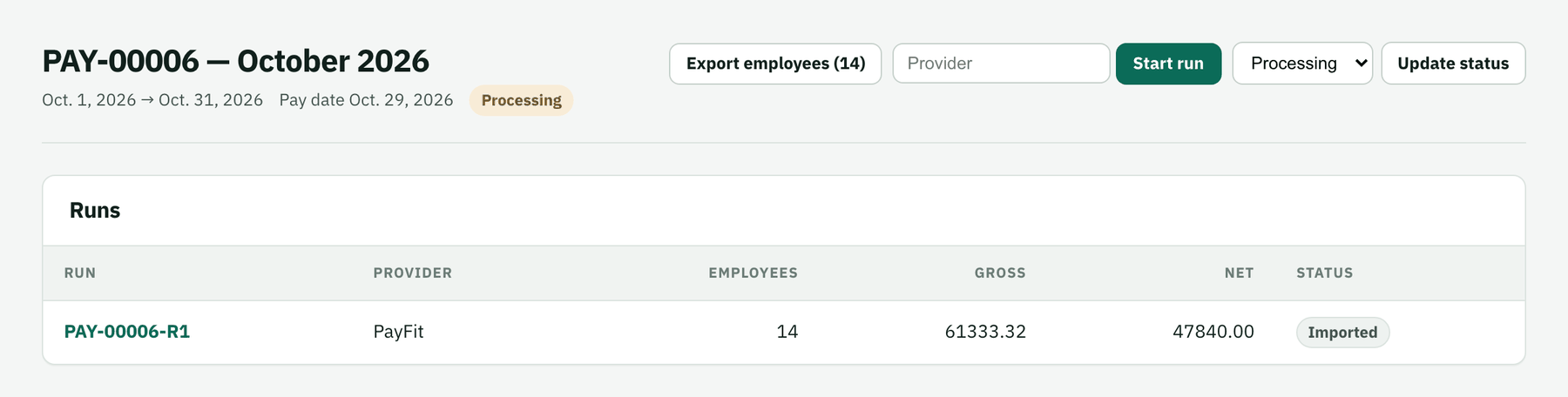
Export employees (n) downloads a CSV of active employees with their salary data for your provider. Type the provider name and click Start run.
Import the provider's results
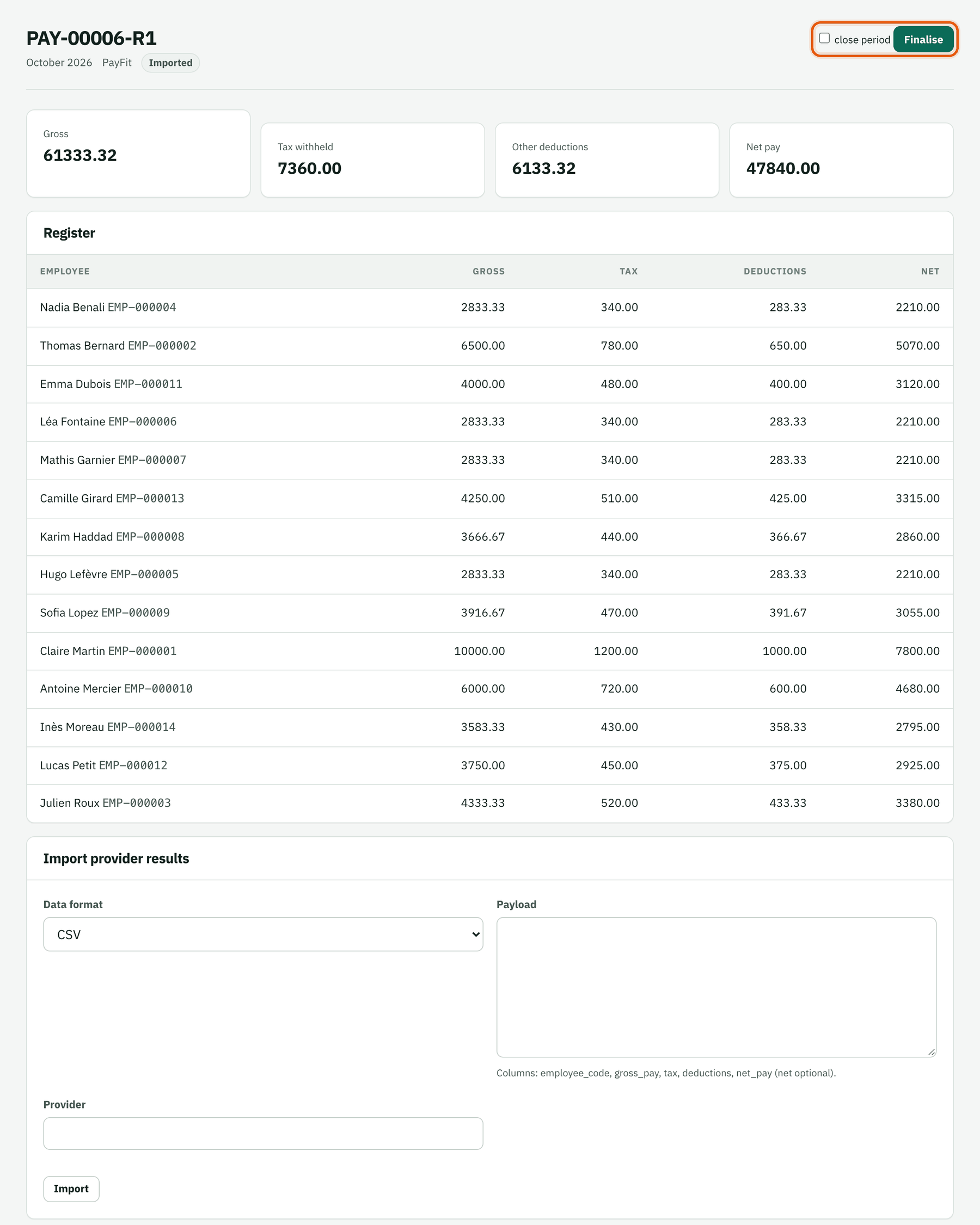
In the run, paste the provider's CSV (or JSON) with the columns
employee_code, gross_pay, tax, deductions, net_payand click Import. Rows with an unknown employee code are reported, the rest are loaded into the register.Check and finalise
Review the totals and the register, then click Finalise — tick close period to close the pay period at the same time. A finalised run can't be re-imported.