حالات عدم المطابقة
سجّل المشكلة وعيوبها وسببها الجذري، وتابعها حتى الإقفال.
A non-conformity report (NCR) records a quality problem — from an inspection, production, a supplier, a complaint or an audit — and tracks it through investigation, containment and corrective action until it's verified and closed.
- Where
- Quality › Non-Conformities, or Raise non-conformity on a lot or complaint
- Statuses
- Open → Investigation → Containment → Corrective action → Verification → Closed
Open the NCR
From a failed lot, Raise non-conformity pre-fills material, supplier, quantity and the failed characteristics as defects. Otherwise click New non-conformity and describe the problem, its type, severity (minor, major, critical) and source.
Record the defects
Add each defect with its category (dimensional, material, supplier…), description, quantity and whether it's critical. Defects feed the Pareto and supplier analytics.
Find the root cause
In Root-cause analysis choose a method — 5 Why, Fishbone, 8D or a narrative — fill the whys or the fishbone category, mark the primary cause and click Record root cause.
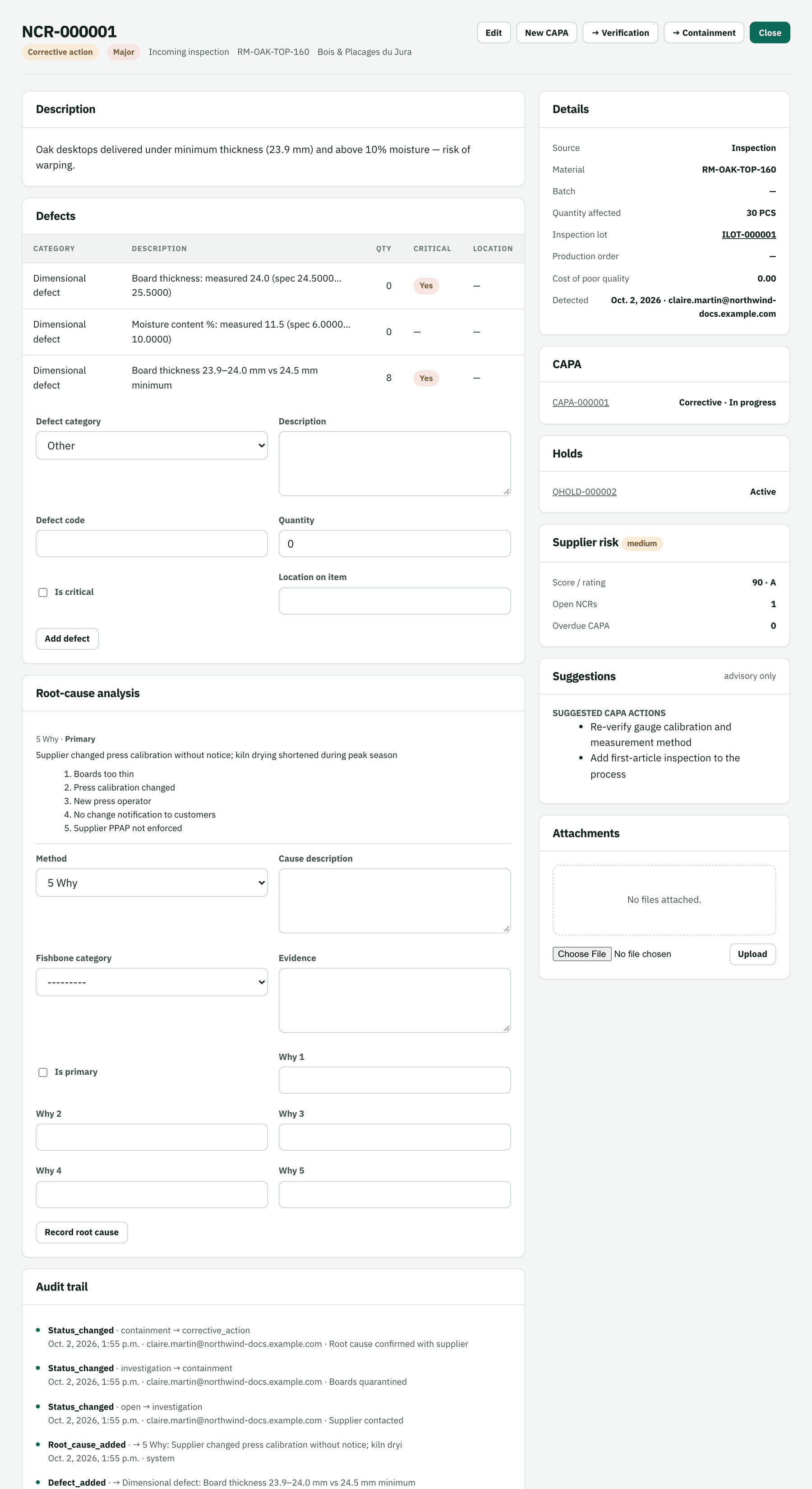
The 5-why traced the thin boards back to an unannounced press recalibration at the supplier. Move it forward
The arrow buttons (→ Containment, → Verification…) advance the status. Click New CAPA to launch the corrective action plan; the Suggestions panel proposes typical actions, and Supplier risk shows the supplier's current standing.
Close
Once the corrective actions are verified, click Close.