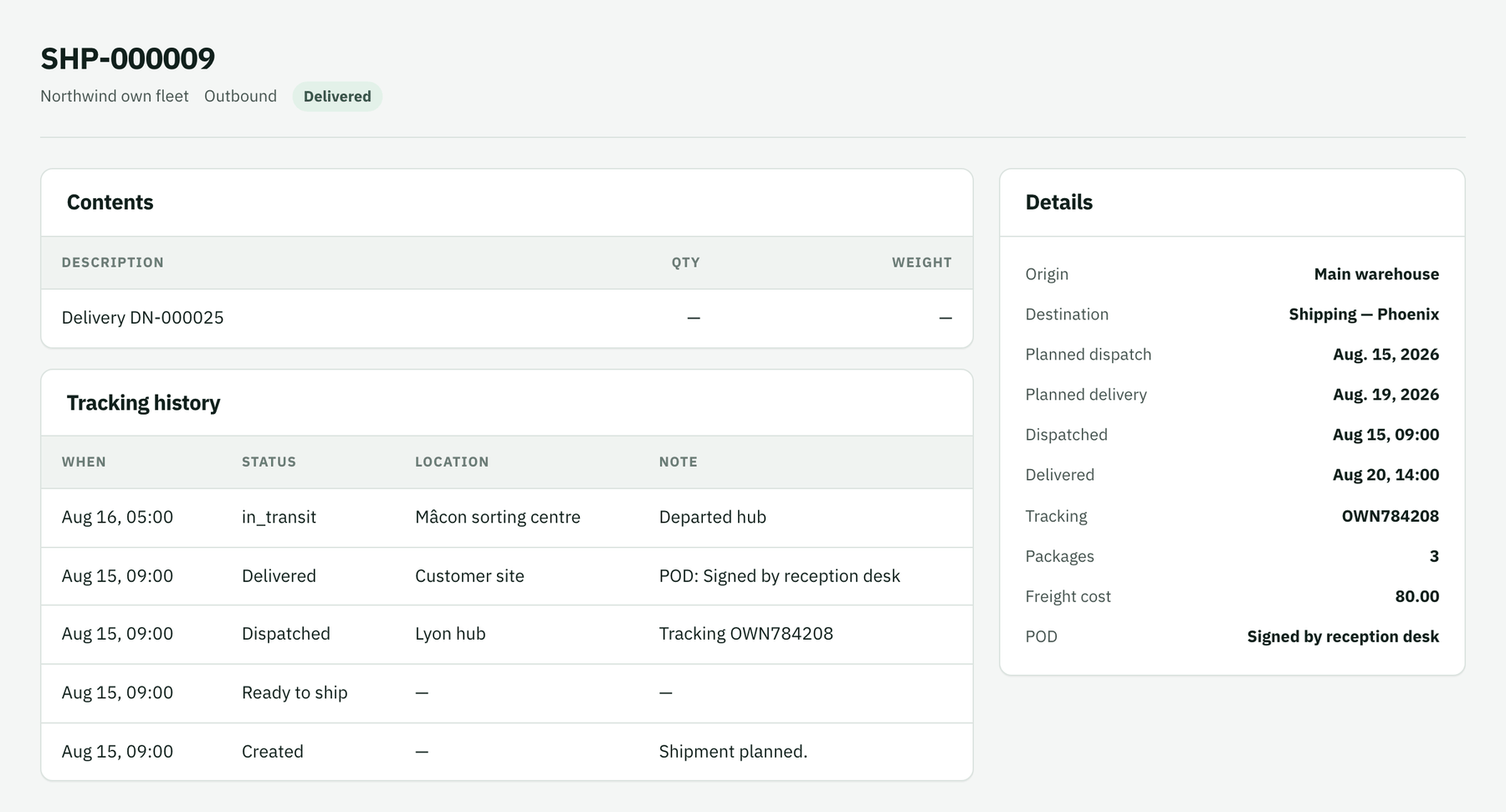
التتبع وإثبات التسليم
أرسل الشحنة، وسجّل أحداث التتبع والاستثناءات، وأكّد التسليم.
From the moment the truck leaves until the customer signs, the shipment's tracking history records what happened. Dispatch it with the tracking number, log events, handle exceptions and confirm delivery with a proof of delivery.
- Where
- The shipment's page
- Result
- On-time statistics per carrier
Dispatch
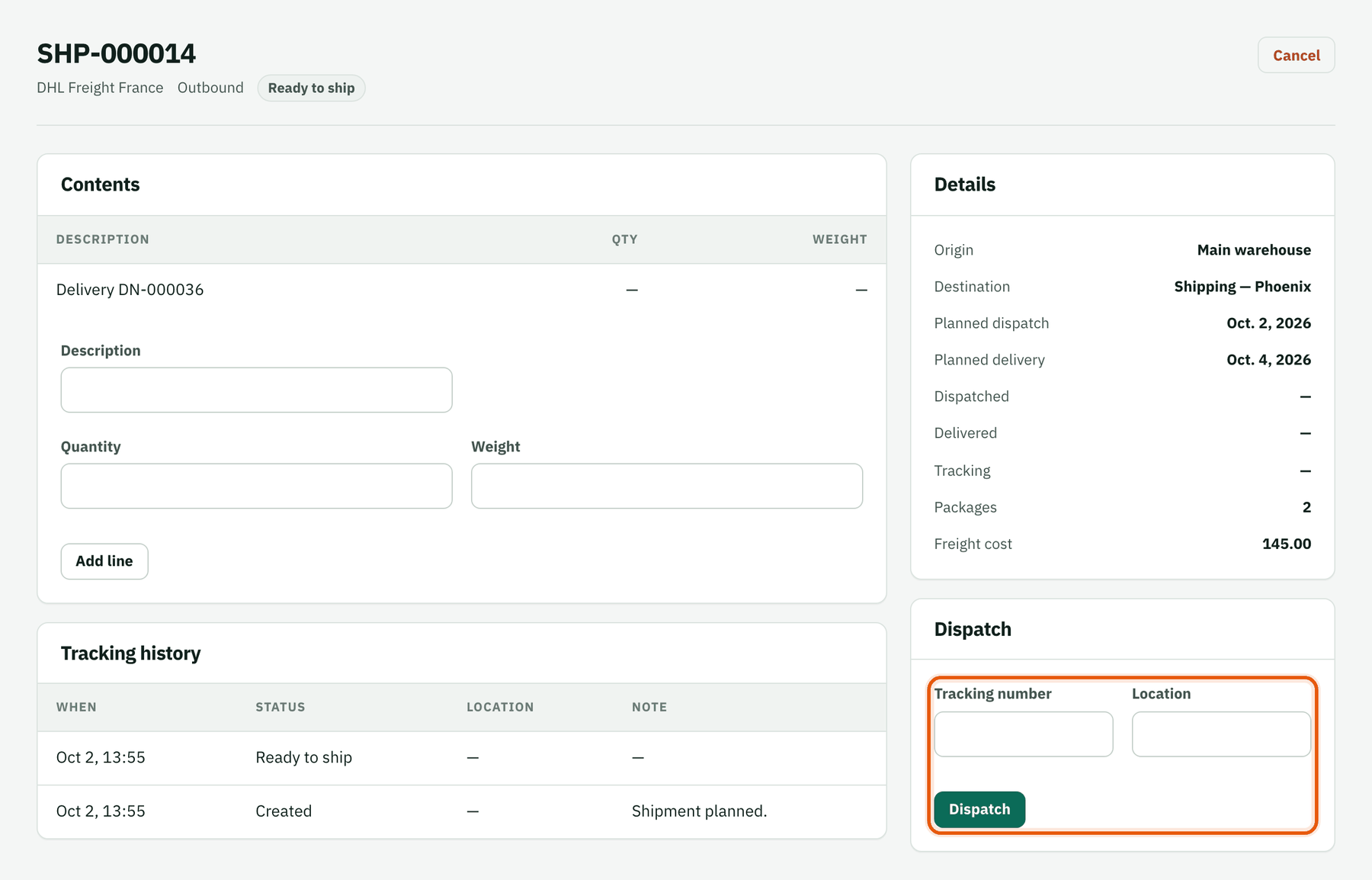
In Dispatch enter the carrier's tracking number and where it left from, then click Dispatch.
Record tracking events
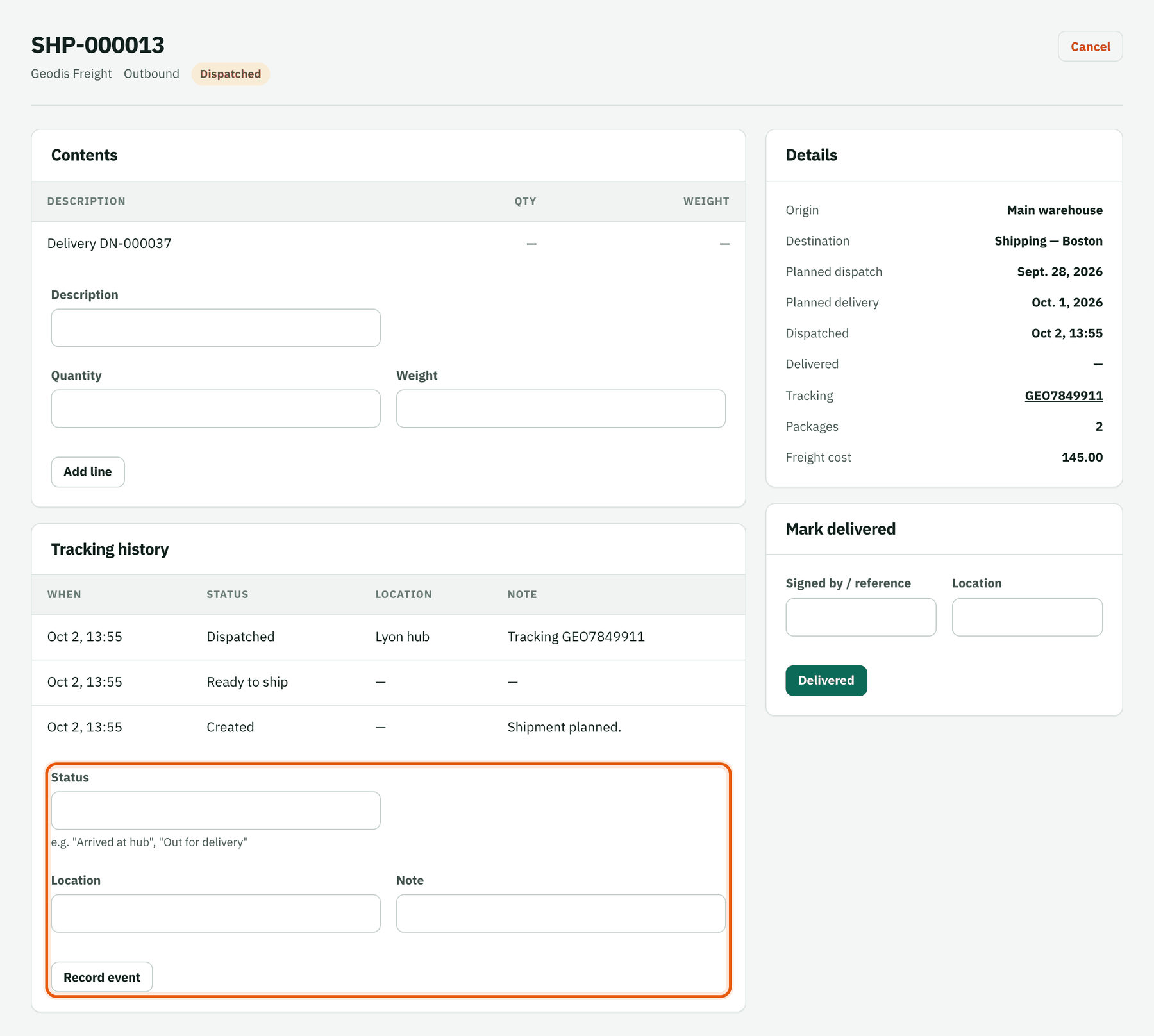
Each time you get news — "Arrived at hub", "Out for delivery", a delay — fill in Status, Location and a Note, then Record event. Everyone sees the same timeline.
Handle an exception
Record problems the same way (customs hold, damaged pallet) so the late tab explains itself.
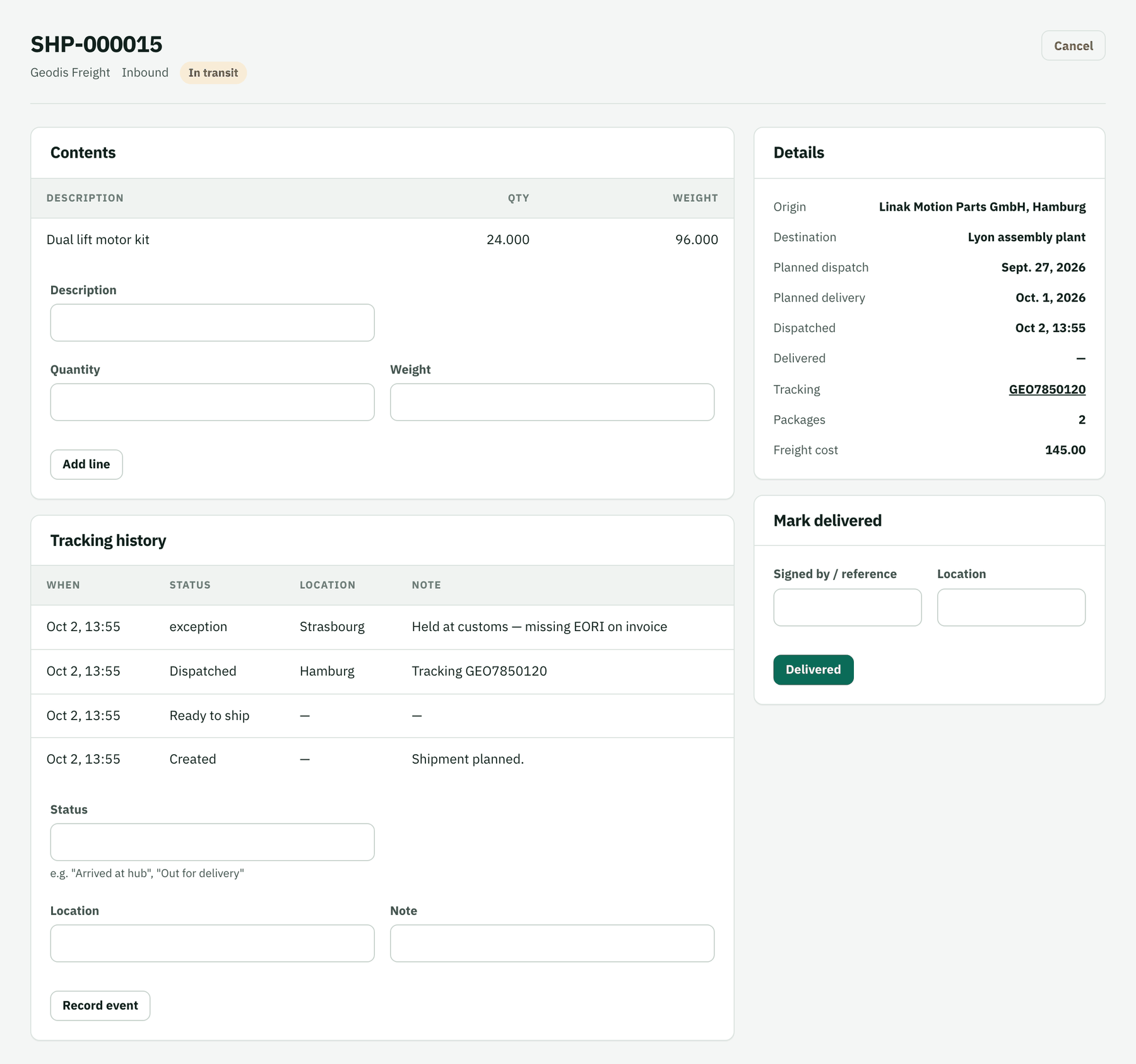
The inbound lift motors are held in Strasbourg: missing EORI number on the invoice. Confirm delivery
In Mark delivered enter who signed (or the POD reference) and the location, then click Delivered. Delivery date versus planned date feeds the carrier's on-time rate.